
The hardware and bandwidth for this mirror is donated by dogado GmbH, the Webhosting and Full Service-Cloud Provider. Check out our Wordpress Tutorial.
If you wish to report a bug, or if you are interested in having us mirror your free-software or open-source project, please feel free to contact us at mirror[@]dogado.de.

A coding agent for R. Not a chatbot – an agent that reads your code, searches your codebase, edits files, and runs commands. Zero API keys, three pluggable backends:
vscode.lm via the bundled hal-bridge extension. No CLI
install, no extra auth beyond your Positron Copilot sign-in, and
eval_r round-trips through R directly without an MCP
subprocess. The lowest-friction path.hal_quota(), plugs into the
Claude Code skills / hooks / MCP ecosystem.If you’re in Positron, do nothing – hal_setup() installs
the bridge from inst/extdata/ in one call and you’re off.
If you’re elsewhere, hal_setup() installs the Copilot CLI.
Switch any time with hal_configure(backend = "...").
Bullet features:
eval_r +
custom tools on vscodeuse_env = TRUE
lets the agent read live R objects via eval_rhal.md persists
context across sessionshal_do() replaces
itself in your script with generated codehal_excel()
turns an .xlsx into a verified tidyverse script, checked
cell-for-cell against Excel’s own cached valueseval_r
are captured and sent to the model as images (vscode + claude backends),
so it can see and iterate on your actual chartshal_do() reports
row/column/NA deltas after every transform and warns when output looks
suspicious# install.packages("pak")
pak::pak("ArcLite-Red/hal")
library(hal)
hal_setup() # auto-picks the right backend for your hosthal_setup() walks you through the appropriate path. In
Positron it installs the hal-bridge extension from the VSIX bundled with
hal (no download, no GitHub auth); elsewhere it installs the Copilot
CLI.
Pick a different backend explicitly if you want:
hal_configure(backend = "vscode")    # Positron + hal-bridge extension
hal_configure(backend = "copilot")   # GitHub Copilot CLI (ACP)
hal_configure(backend = "claude")    # Anthropic Claude Code CLI
Verify (one traffic-light report, ends with the next step if anything is missing):
hal_status()
#> -- hal status ------------------------------------------------------
#> i hal 0.1.4 | backend: "vscode" (auto: Positron detected)
#> v hal-bridge 0.1.4 responding on port 51234.
#> i No active session (one starts on your first hal() call).
#> v Ready. Try: hal("Hello!")Multi-turn conversation with a coding agent. Session persists across calls.
hal("What are the top 3 dplyr verbs and when would I use each?")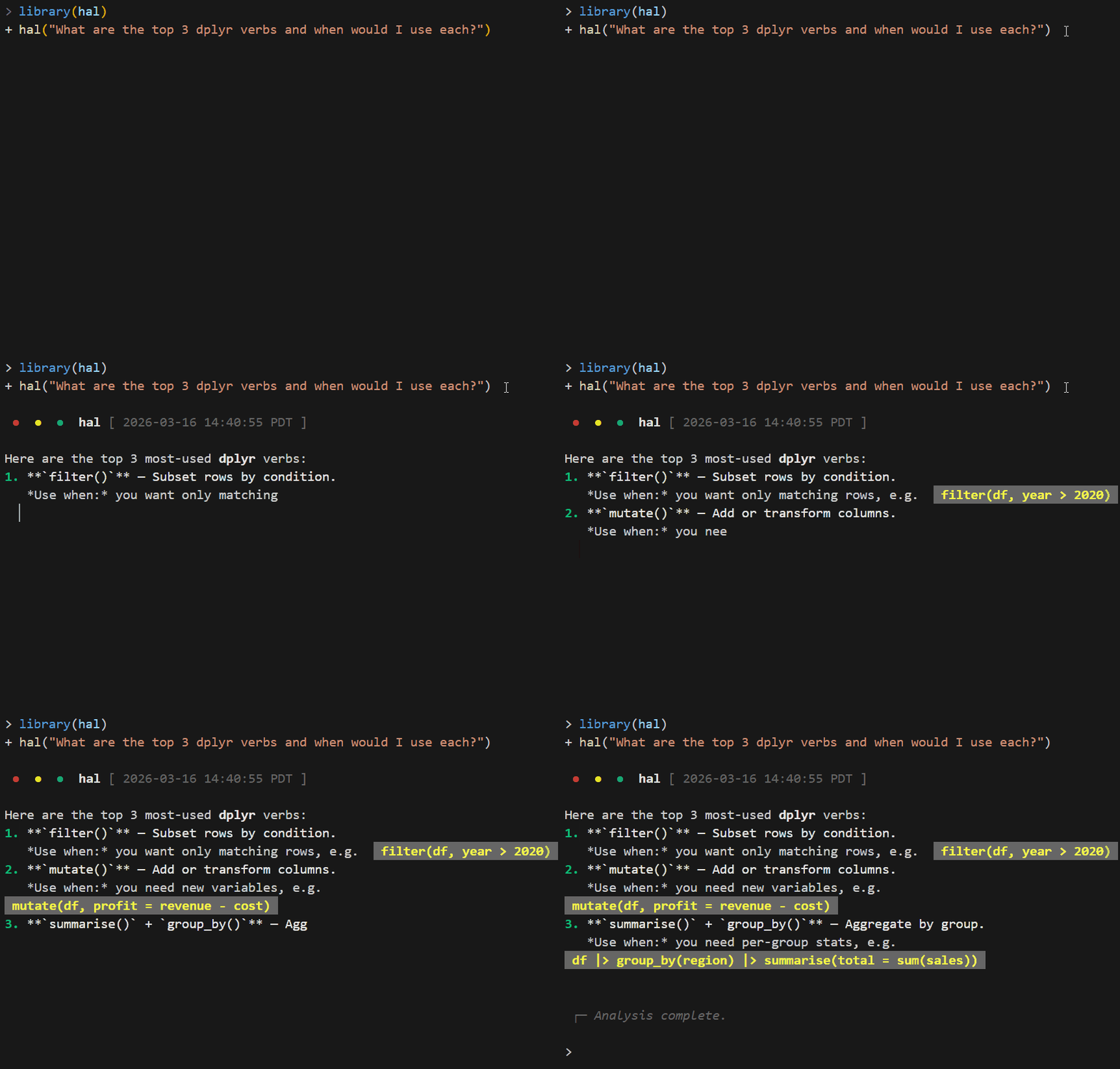
hal("Show me a filter example")
hal("Now group_by and summarise")Pipe any object into hal_ask(). Your data flows through
unchanged.
mtcars |>
  hal_ask("What patterns stand out in fuel efficiency? 3 bullets.")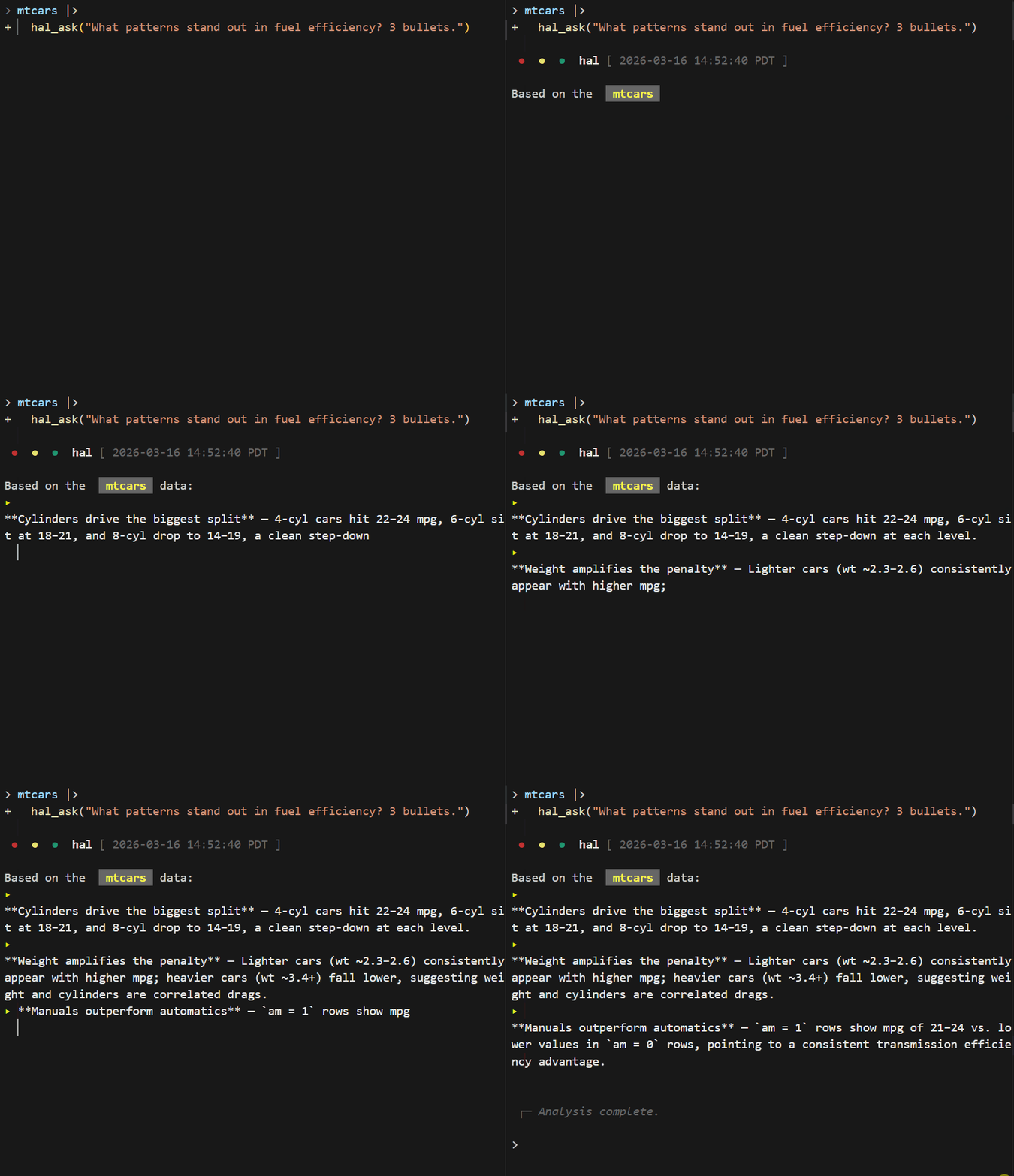
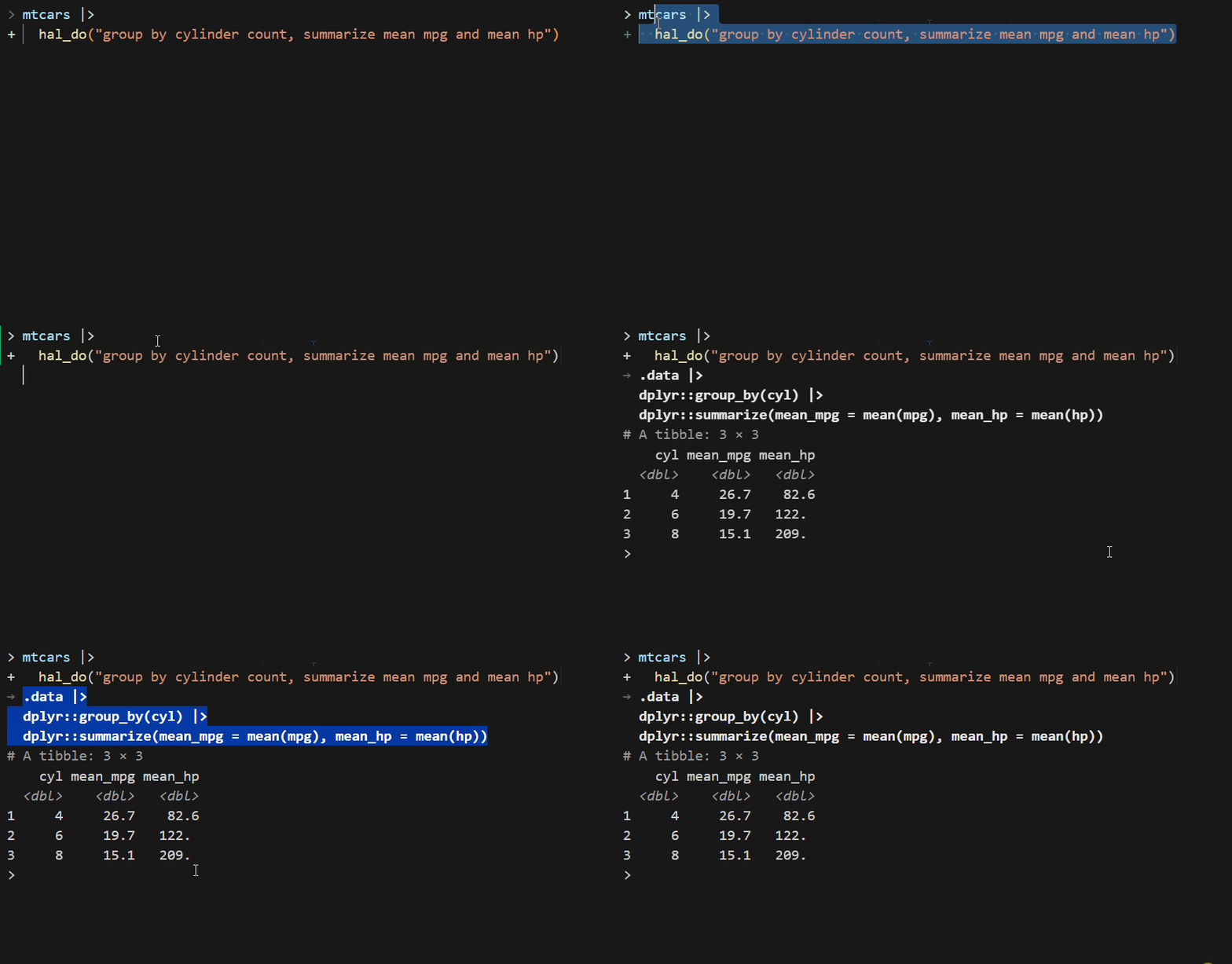
hal_do() generates R code, executes it, and returns the
result – then verifies the transform and reports what structurally
changed:
mtcars |>
  hal_do("group by cylinder count, summarize mean mpg and mean hp")
#> i hal_do: 32 -> 3 rows | -9 cols (...) | +2 cols (mean_mpg, mean_hp)
The full report lives at attr(result, "hal_verify");
suspicious output (identical to input, 0 rows) warns. Report-only – it
never changes your data.
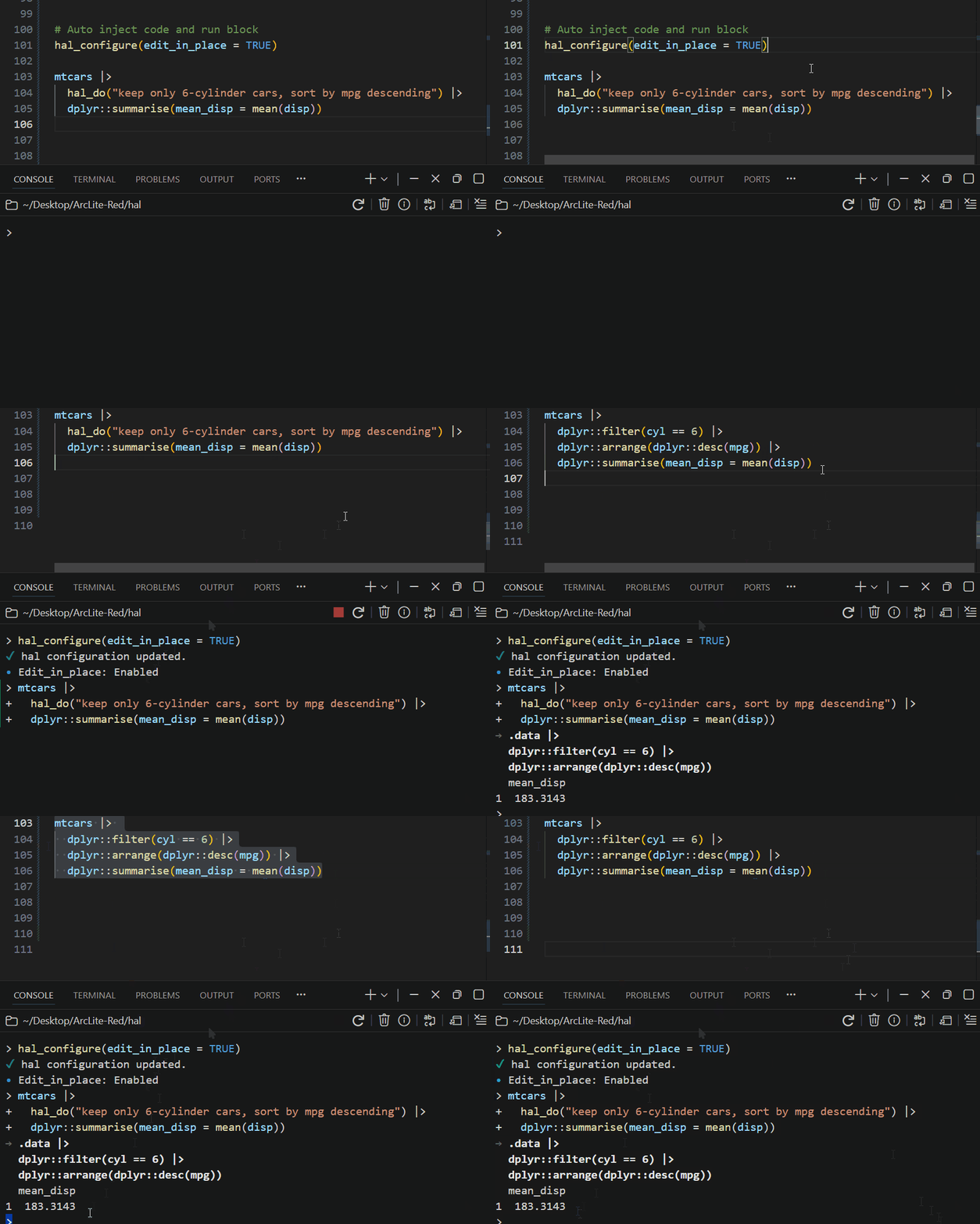
In RStudio or Positron, hal_do() replaces itself in your
editor with the generated code:
hal_excel() reads an .xlsx, treats the
non-formula columns as data, and translates each formula column into a
tidyverse expression – then verifies every translation against
the values Excel itself cached, row for row. Columns that match
go into a live mutate() pipeline; anything that doesn’t is
emitted as a commented stub to review. The result is a runnable R script
that replaces the workbook:
hal_excel("sales_model.xlsx")
#> v revenue: verified (120/120 rows match Excel)
#> v margin: verified (120/120 rows match Excel)
#>
#> data <- openxlsx2::read_xlsx("sales_model.xlsx", sheet = "Sheet1", ...)
#> result <- data |>
#>   dplyr::mutate(
#>     revenue = units * unit_price,
#>     margin = (revenue - cost) / revenue
#>   )

code <- hal_excel("sales_model.xlsx")
attr(code, "hal_excel")          # per-column verification report
writeLines(code, "sales_model.R")
If you run it from an open script, it replaces the
hal_excel() call with the generated code – the
spreadsheet-to-script migration is one line.
On the vscode and claude backends, plots drawn by eval_r
are captured and sent to the model as images – it critiques what the
chart actually looks like, not what the code suggests it might:
df <- mtcars
hal("Draw a scatter of mpg vs wt and describe the relationship you see")
#> i hal: plot captured for the model.
# ... the model references the actual visual: clusters, outliers, curvature

hal("Make it publication-ready: labels, theme, annotate the outliers")
# It sees each iteration and refines against the rendered result.
Returned ggplot objects are printed to your device too, so everything
shows up in your plots pane as usual. Disable with
hal_configure(plot_vision = FALSE).
# Give the agent access to live objects in your R session
df <- mtcars
hal("Which rows in df have above-median mpg?", use_env = TRUE)

# Mid-pipe transform with retry on failure
iris |>
  hal_do("z-score each numeric column, ignoring Species", .retries = 2)

# Switch models on the fly (Copilot; Claude resets via hal_reset())
hal("Summarize this codebase", model = "claude-haiku-4.5")
hal("Now review it for edge cases", model = "claude-opus-5")

# Register custom tools
hal_register_tool(
  fun = function(ticker) paste("$142.50 for", ticker),
  name = "stock_price",
  description = "Get current stock price",
  types = list(ticker = "string")
)
hal("What's the stock price of AAPL?")

# Track usage and (on Claude) the 5-hour quota window
hal_usage()
hal_quota()

# R6 API for multiple sessions, Shiny, or full control
chat <- hal_chat(model = "claude-sonnet-5", echo = "all")
chat$chat("Read DESCRIPTION and list the dependencies")
chat$switch_model("gpt-4.1")
chat$chat("Are any of those dependencies unnecessary?") R session
|
v
hal (R6 + S3) one API, pluggable transport
|
+------------+------------+
| | |
v v v
vscode Copilot Claude
localhost ACP -p / resume
HTTP server per-turn
| | |
v v v
hal-bridge GitHub Anthropic
vscode.lm Copilot Claude
(Positron) 17 models 3 modelsAll three transports converge on the same hal_response /
hal_turn / hal_tool_call S3 objects, so your
code doesn’t care which backend you pick. vscode speaks HTTP to the
localhost bridge; Copilot and Claude speak NDJSON / stream-json over
stdio.
hal’s Copilot path uses the ACP transport (not the HTTP proxy). Multi-turn Claude via HTTP has a known format-translation bug; via ACP it works correctly.
vignette("getting-started") – setup, configuration,
backends, full walkthroughvignette("backends") – vscode / Copilot / Claude
trade-offs, costs, quotavignette("agent-tools") – built-in tools,
eval_r, permissions, custom MCP toolsThese binaries (installable software) and packages are in development.
They may not be fully stable and should be used with caution. We make no claims about them.
Health stats visible at Monitor.