


The hardware and bandwidth for this mirror is donated by dogado GmbH, the Webhosting and Full Service-Cloud Provider. Check out our Wordpress Tutorial.
If you wish to report a bug, or if you are interested in having us mirror your free-software or open-source project, please feel free to contact us at mirror[@]dogado.de.
Simple, Intuitive Legend Control for ggplot2
The ggguides package provides one-liner functions for
common legend operations in ggplot2. Instead of memorizing
theme() arguments and guide specifications, use readable
functions like legend_left(), legend_style(),
and legend_inside() to position, style, and customize
legends with minimal code.
library(ggplot2)
library(ggguides)

p <- ggplot(mtcars, aes(mpg, wt, color = factor(cyl))) +
  geom_point(size = 3)

# Position legends
p + legend_left()
p + legend_inside("topright")

# Style legends
p + legend_style(size = 14, title_face = "bold")

# Combine freely
p + legend_bottom() + legend_style(background = "grey95")Six legends on four sides, each one positioned and styled independently. ggplot2 lets several legends share a side; ggguides lets you pick which legend goes where, slide it along the rail, and style it without touching the others.
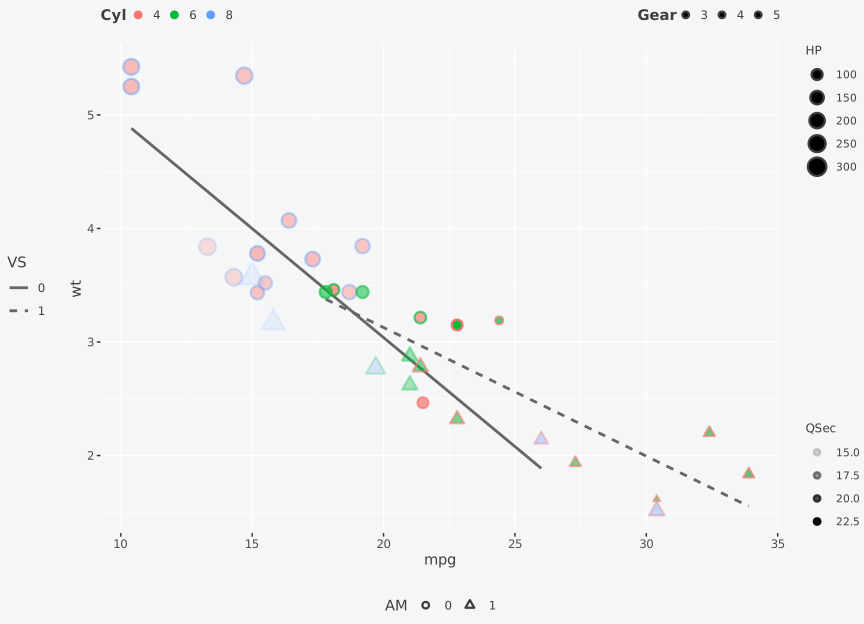
p6 +
  # Side placement. Two legends share the top rail, two share the right.
  legend_top(by = "colour")    + legend_top(by = "fill")     +
  legend_right(by = "size")    + legend_right(by = "alpha")  +
  legend_bottom(by = "shape")  + legend_left(by = "linetype") +

  # Slide each one along its rail.
  legend_style(by = "colour",   justification = "left")   +
  legend_style(by = "fill",     justification = "right")  +
  legend_style(by = "size",     justification = "top")    +
  legend_style(by = "alpha",    justification = "bottom") +

  # Appearance (bold titles, smaller keys, smaller text, forced direction).
  legend_style(by = "colour", title_face = "bold",
               key_width = 0.4, key_height = 0.4) +
  legend_style(by = "size",   title_size = 9, size = 8)  +
  legend_style(by = "shape",  direction = "horizontal")
legend_style(by = ...) calls are additive, so one line
per parameter is the intended shape. Full walkthrough in the Multiple
Legends vignette.
Legend customization in ggplot2 often requires verbose
theme() calls with non-obvious argument names
(legend.position, legend.justification,
legend.box.just), and guide specifications scattered across
guides() and scale_*() functions. Common tasks
like positioning a legend inside the plot, styling the legend box, or
managing multiple legends require looking up documentation
repeatedly.
ggguides addresses this by providing:
legend_left(), legend_inside(),
legend_reverse())legend_left() sets position, justification,
and box alignment)install.packages("ggguides")Or install the development version from GitHub:
# install.packages("pak")
pak::pak("gcol33/ggguides")legend_left() /
legend_right(): Side positioning with proper
alignmentlegend_top() /
legend_bottom(): Horizontal layout with optional
plot alignmentlegend_inside(): Position inside plot
using coordinates or shortcuts ("topright",
"bottomleft", etc.)legend_none(): Remove legend
entirelylegend_style(): Comprehensive styling
(size, font, background, borders, margins)legend_wrap(): Wrap entries into
columns or rowslegend_reverse(): Reverse entry
orderlegend_order(): Reorder legend
entrieslegend_keys(): Customize key
appearancecolorbar_style(): Style continuous
color legendslegend_hide() /
legend_select(): Show/hide specific legends by
aestheticlegend_order_guides(): Control display
order of multiple legendslegend_merge() /
legend_split(): Combine or separate legend
entriesby parameter: Apply any function to
specific aesthetics onlycollect_legends(): Collect legends
from patchwork compositionscollect_axes(): Collect axes from
patchwork compositionsshared_legend(): Combine plots with
shared legend (no patchwork required)get_legend(): Extract legend as
standalone groblibrary(ggplot2)
library(ggguides)
p <- ggplot(mtcars, aes(mpg, wt, color = factor(cyl))) +
geom_point(size = 3) +
labs(color = "Cylinders")legend_left() /
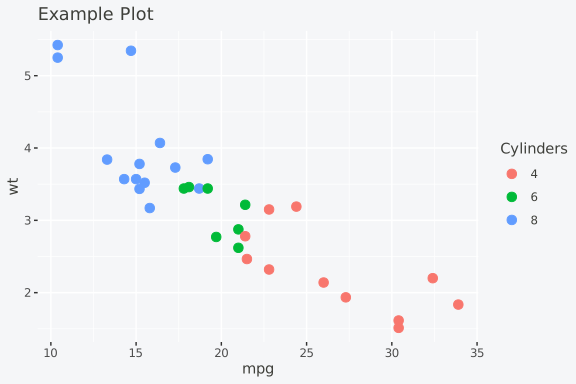
legend_right()Position with proper alignment (sets justification and box.just together):
p + legend_left()
p + legend_right()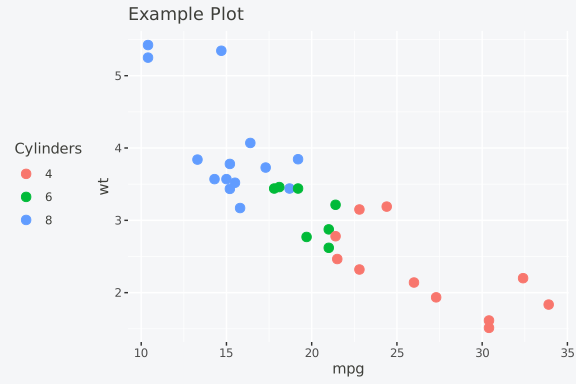
legend_top() /
legend_bottom()Horizontal layout with optional plot alignment:
p + legend_top()
p + legend_bottom()

# Align to full plot (useful with titles)
p + labs(title = "My Title") + legend_top(align_to = "plot")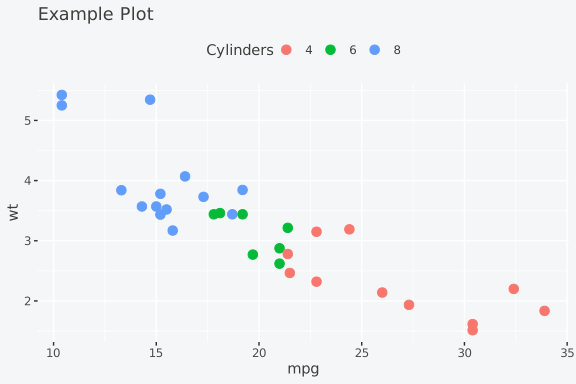
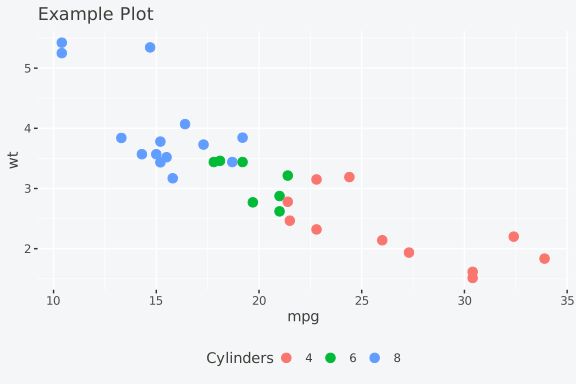
legend_inside()Position inside the plot using coordinates or shortcuts:
# Using shortcuts
p + legend_inside(position = "topright")
p + legend_inside(position = "bottomleft")

# Using coordinates
p + legend_inside(x = 0.95, y = 0.95, justification = c("right", "top"))

# With custom styling
p + legend_inside(position = "center", background = "grey95", border = "grey50")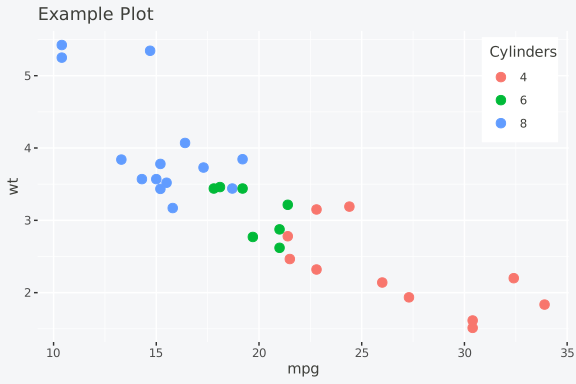
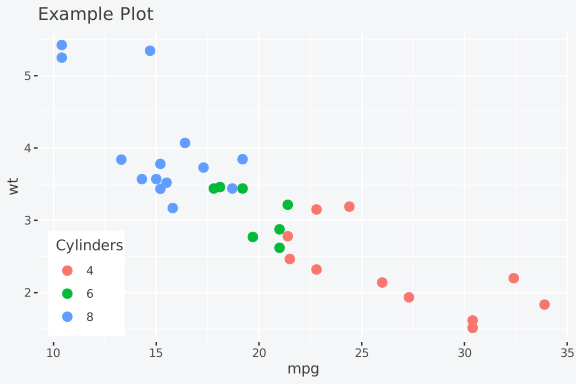
legend_none()Remove the legend entirely:
p + legend_none()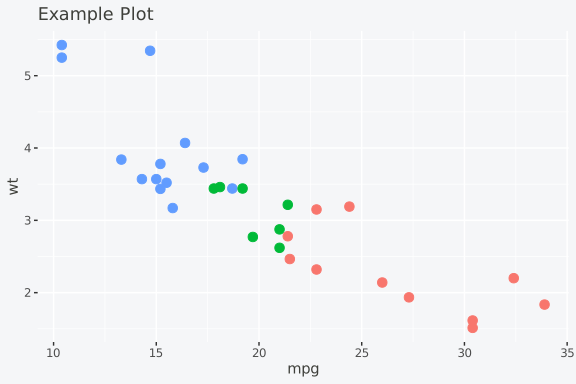
legend_style()Comprehensive styling in one call:
# Change font size - affects both title and labels
p + legend_style(size = 14)

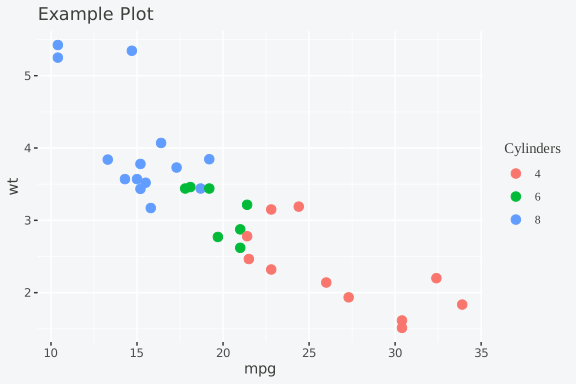
# Change font family
p + legend_style(family = "serif")
p + legend_style(family = "mono")

# Combine size and family
p + legend_style(size = 14, family = "serif")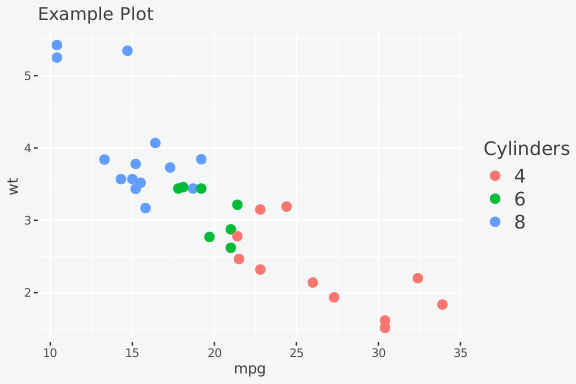
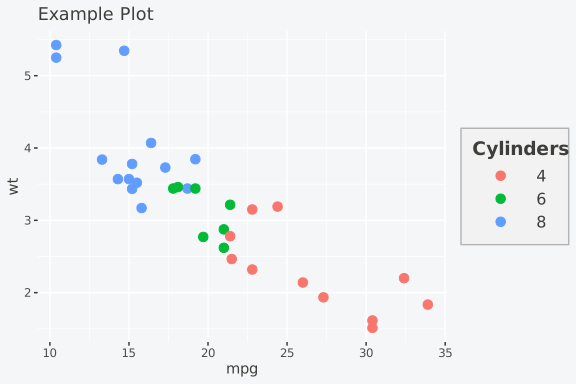
# Full styling with title emphasis
p + legend_style(
  size = 12,
  title_size = 14,
  title_face = "bold",
  key_width = 1.5,
  background = "grey95",
  background_color = "grey70",
  margin = 0.3
)
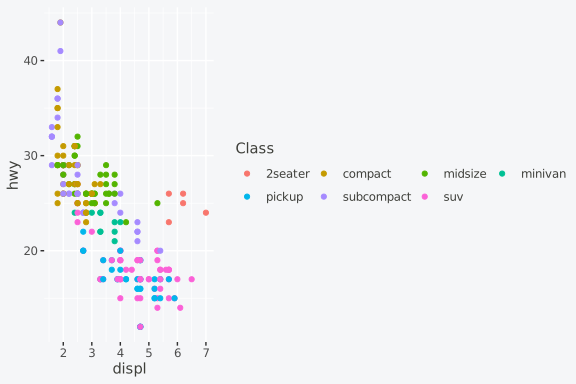
legend_wrap()Wrap legend entries into columns or rows:
ggplot(mpg, aes(displ, hwy, color = class)) +
  geom_point() +
  legend_wrap(ncol = 2)

# Or by rows
ggplot(mpg, aes(displ, hwy, color = class)) +
  geom_point() +
  legend_wrap(nrow = 2)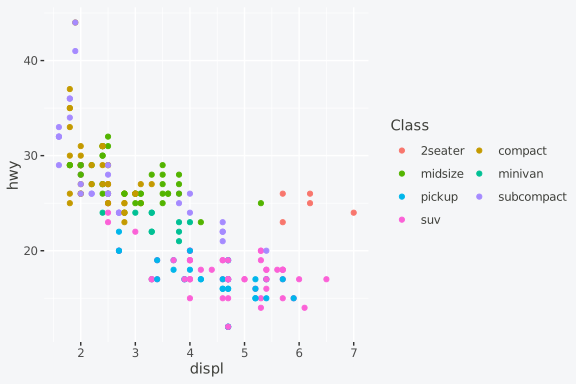
legend_reverse()Reverse legend entry order:
p + legend_reverse()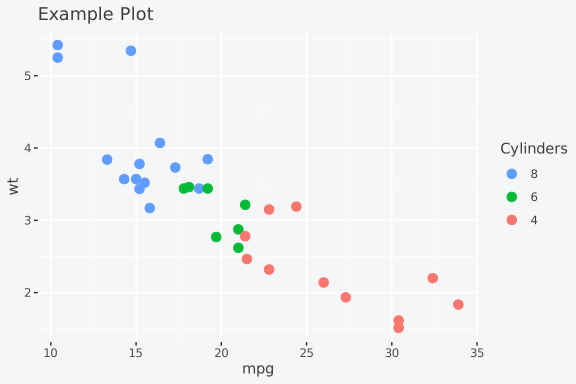
When a plot has multiple aesthetics, control each legend separately:
legend_hide() /
legend_select()Hide specific legends or keep only certain ones:
# Plot with multiple aesthetics
p <- ggplot(mtcars, aes(mpg, wt, color = factor(cyl), size = hp)) +
  geom_point() +
  labs(color = "Cylinders", size = "Horsepower")

# Hide the size legend
p + legend_hide(size)

# Keep only the colour legend
p + legend_select(colour)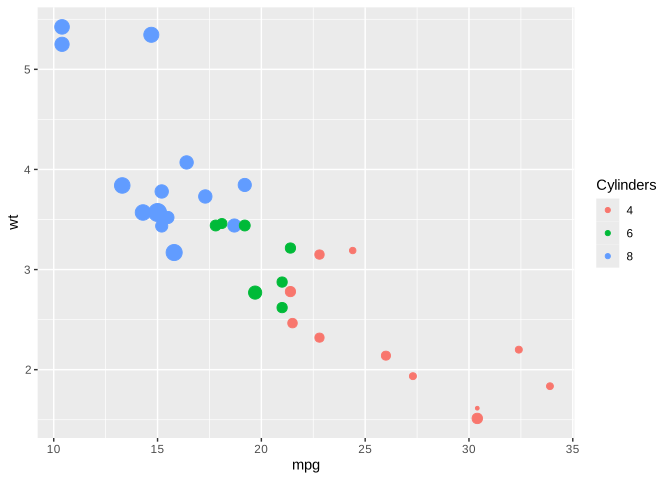
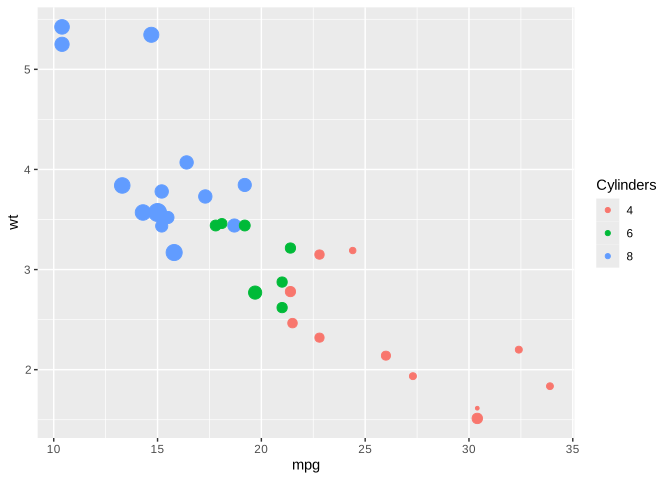
Use the by parameter to position legends
independently:
# Colour legend on left, size legend at bottom
p +
  legend_left(by = "colour") +
  legend_bottom(by = "size")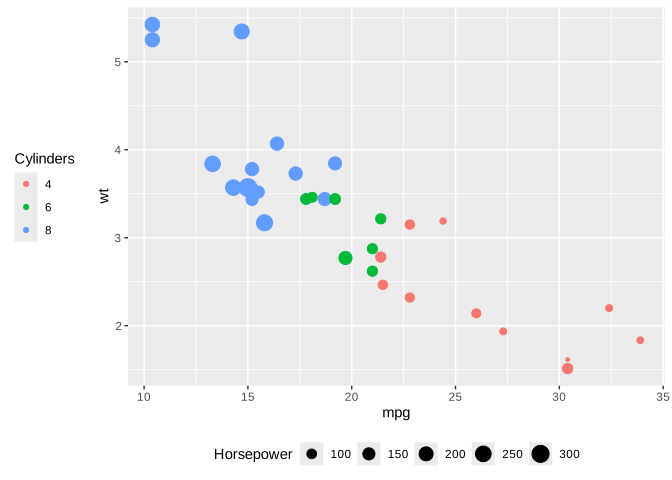
Apply different styles to different legends:
p +
  legend_style(title_face = "bold", by = "colour") +
  legend_style(size = 10, by = "size")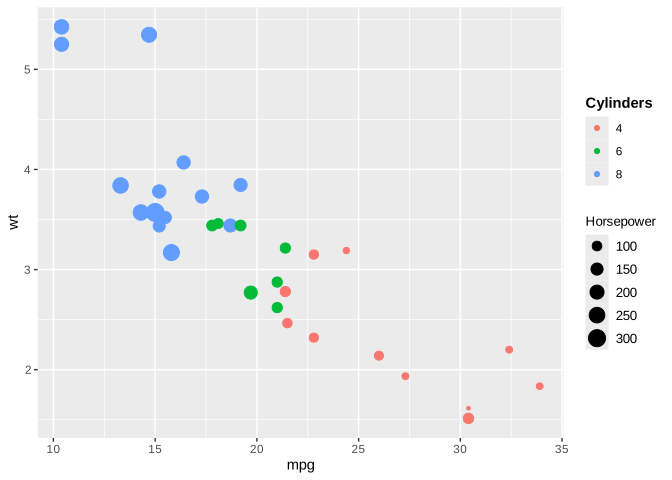
legend_order_guides()Control the display order of multiple legends:
# Size legend first, then colour
p + legend_order_guides(size = 1, colour = 2)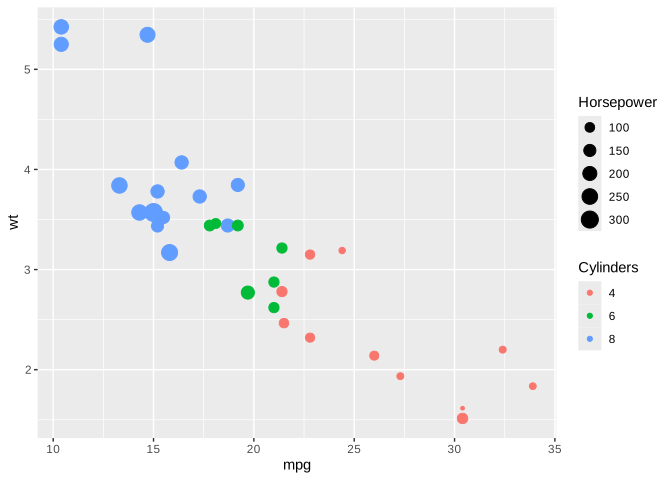
collect_legends()Collect legends from patchwork compositions:
library(patchwork)

p1 <- ggplot(mtcars, aes(mpg, wt, color = factor(cyl))) +
  geom_point() + labs(title = "Plot 1")
p2 <- ggplot(mtcars, aes(mpg, hp, color = factor(cyl))) +
  geom_point() + labs(title = "Plot 2")

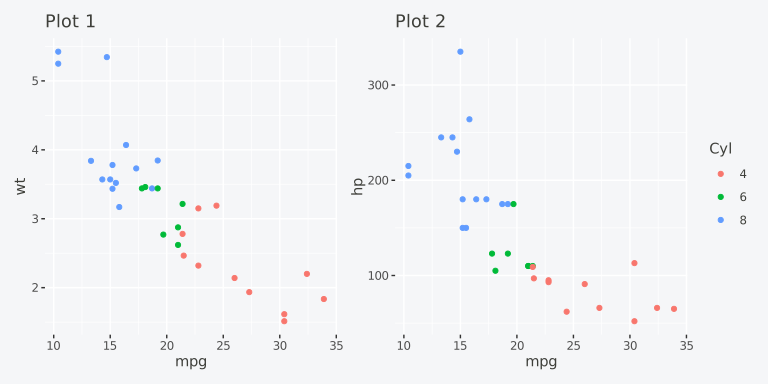
# Without collection (duplicate legends)
p1 | p2

# With collection
collect_legends(p1 | p2)

# Position at bottom
collect_legends(p1 | p2, position = "bottom")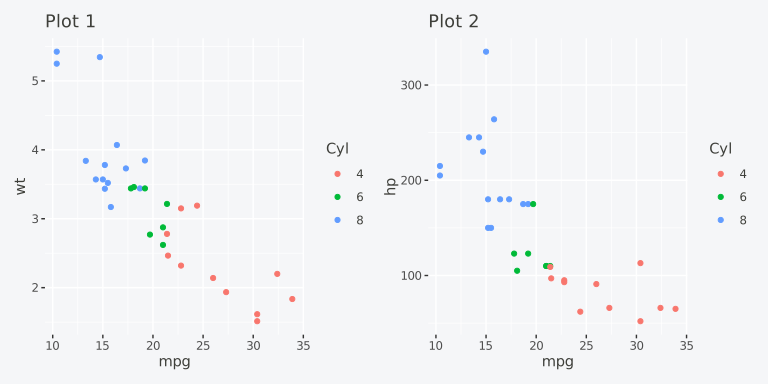
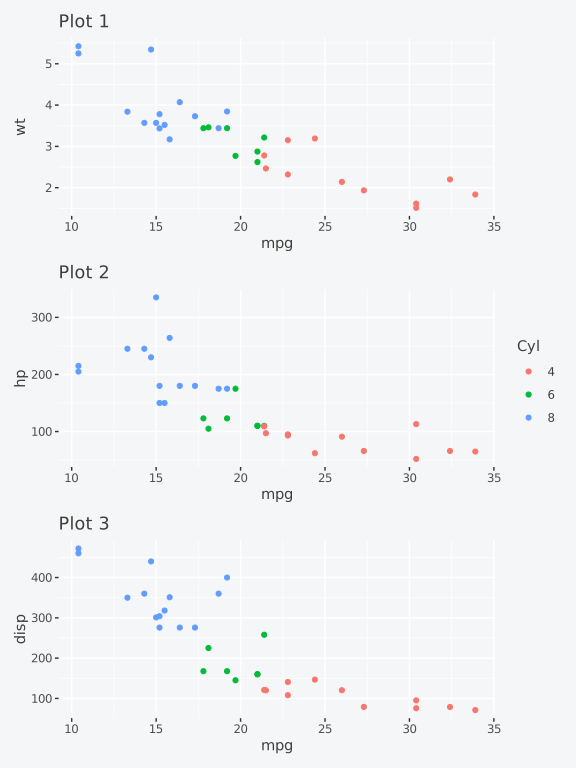
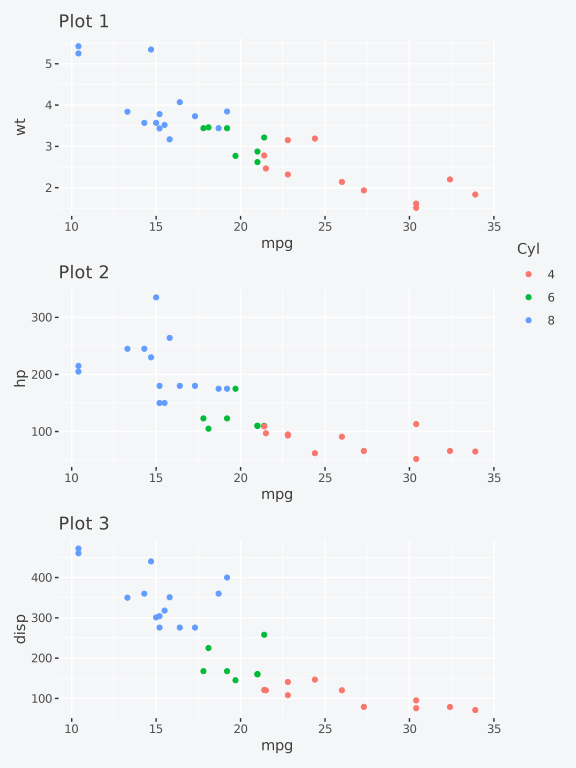
For stacked plots, use span = TRUE to make the legend
span the full height. Using different plot heights makes the spanning
behavior more visible:
library(patchwork)

p3 <- ggplot(mtcars, aes(mpg, disp, color = factor(cyl))) +
  geom_point() + labs(title = "Plot 3")

# Stack with different heights: 4, 2, 1
stacked <- (p1 / p2 / p3) + plot_layout(heights = c(4, 2, 1))

# Default: legend centered
collect_legends(stacked, position = "right")

# With spanning: legend fills full height
gt <- collect_legends(stacked, position = "right", span = TRUE)
grid::grid.draw(gt)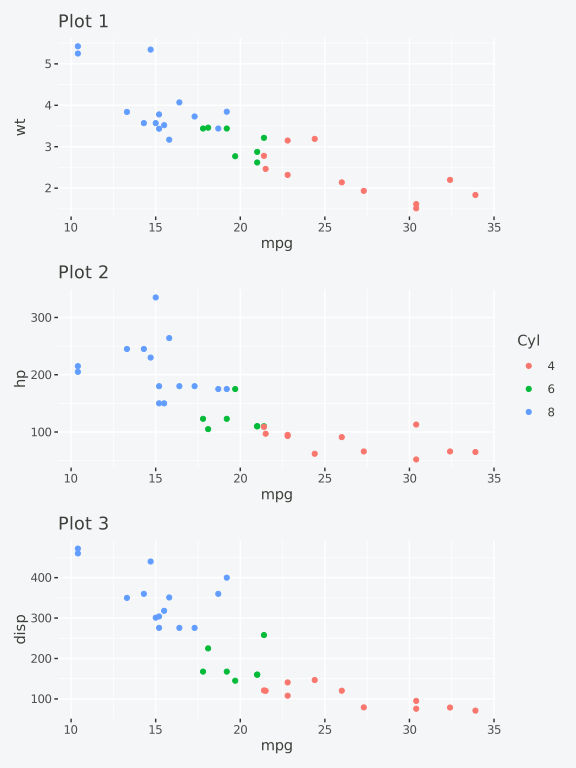
Attach the legend to specific rows instead of spanning all:
# Attach legend to row 1 only (the tallest plot)
gt <- collect_legends(stacked, position = "right", span = 1)
grid::grid.draw(gt)

# Attach legend to rows 1 and 2
gt <- collect_legends(stacked, position = "right", span = 1:2)
grid::grid.draw(gt)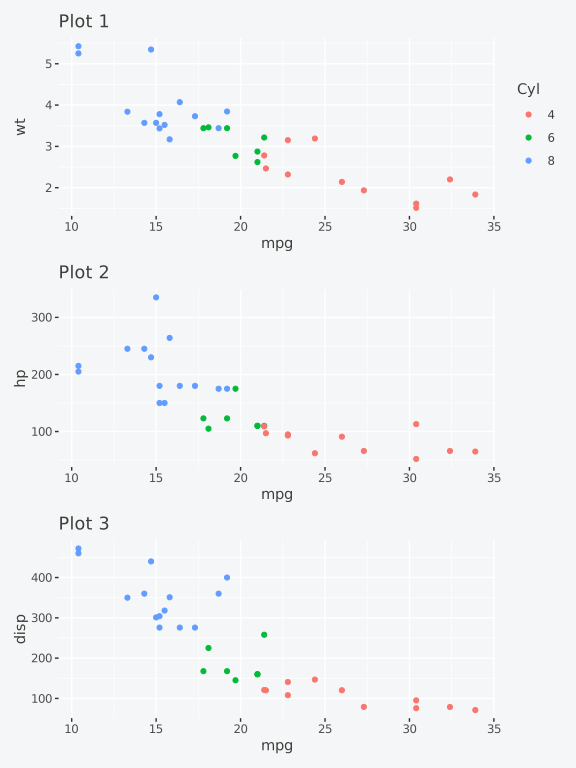
Functions compose naturally:
ggplot(mpg, aes(displ, hwy, color = class)) +
  geom_point() +
  legend_left() +
  legend_style(size = 12, title_face = "bold", background = "grey95")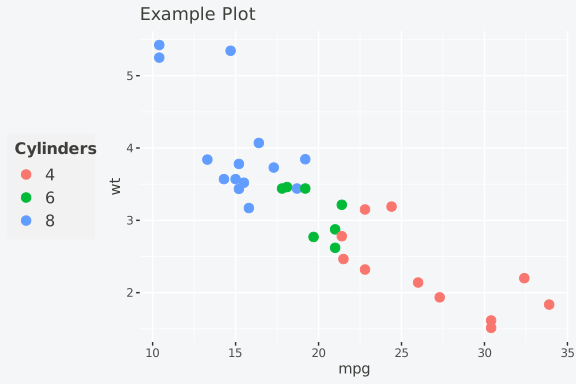
ggplot(mpg, aes(displ, hwy, color = class)) +
  geom_point() +
  legend_wrap(ncol = 2) +
  legend_bottom()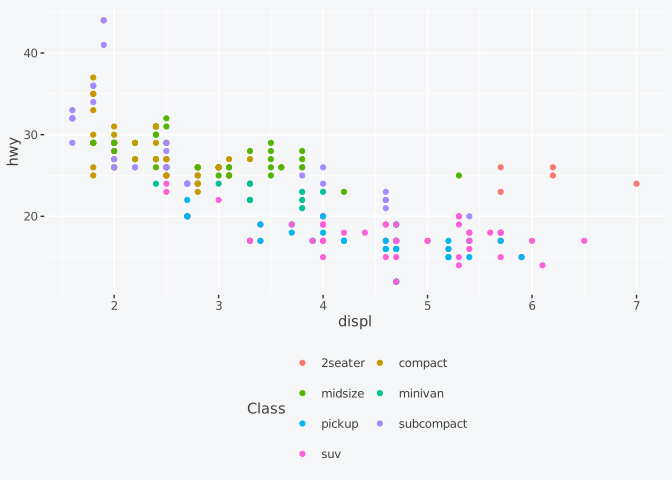
ggguides also works without patchwork for cowplot users or anyone using base grid:
get_legend()Extract a legend as a standalone grob:
p <- ggplot(mtcars, aes(mpg, wt, color = factor(cyl))) +
  geom_point() + labs(color = "Cylinders")

# Extract the legend
leg <- get_legend(p)

# Use with cowplot::plot_grid() or grid::grid.draw()
grid::grid.draw(leg)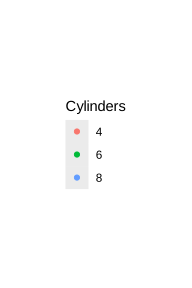
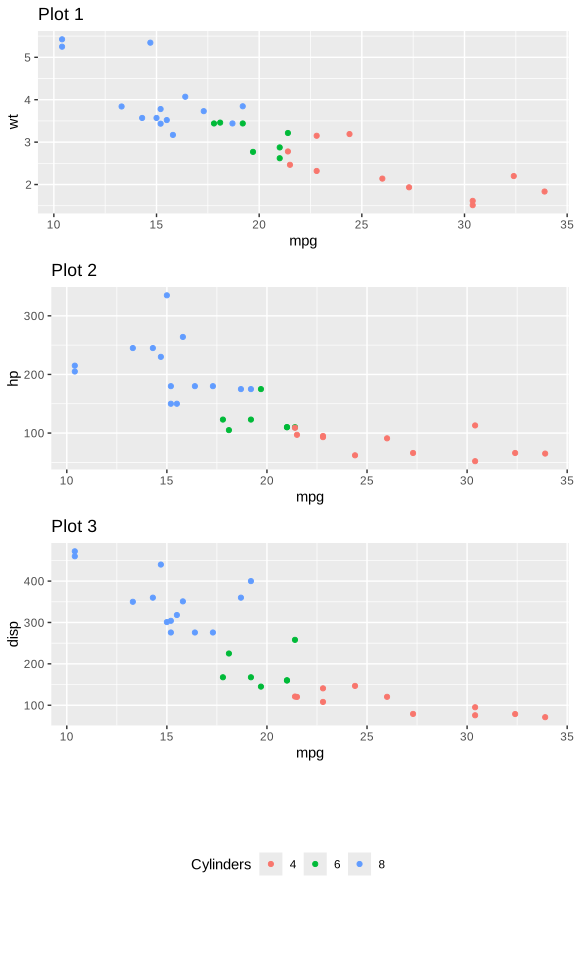
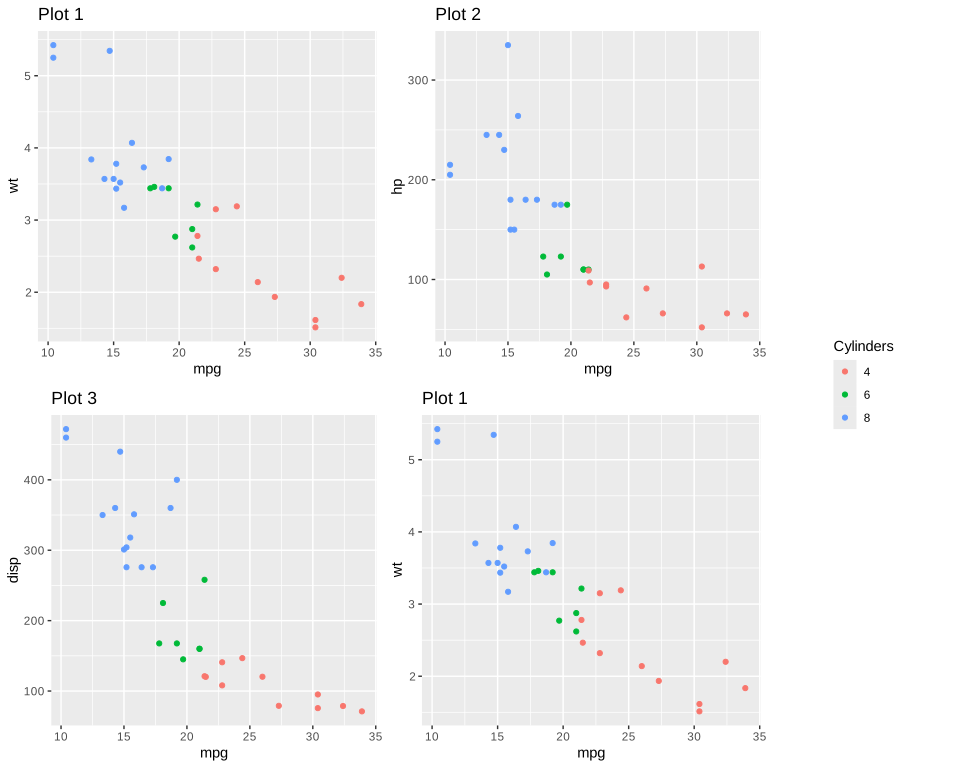
shared_legend()Combine plots with a shared legend (no patchwork required):
p1 <- ggplot(mtcars, aes(mpg, wt, color = factor(cyl))) +
  geom_point() + labs(title = "Plot 1", color = "Cylinders")
p2 <- ggplot(mtcars, aes(mpg, hp, color = factor(cyl))) +
  geom_point() + labs(title = "Plot 2", color = "Cylinders")
p3 <- ggplot(mtcars, aes(mpg, disp, color = factor(cyl))) +
  geom_point() + labs(title = "Plot 3", color = "Cylinders")

# Side-by-side with shared legend
gt <- shared_legend(p1, p2, ncol = 2, position = "right")
grid::grid.draw(gt)

# Stacked with legend at bottom
gt <- shared_legend(p1, p2, p3, ncol = 1, position = "bottom")
grid::grid.draw(gt)

# 2x2 grid
gt <- shared_legend(p1, p2, p3, p1, ncol = 2, nrow = 2, position = "right")
grid::grid.draw(gt)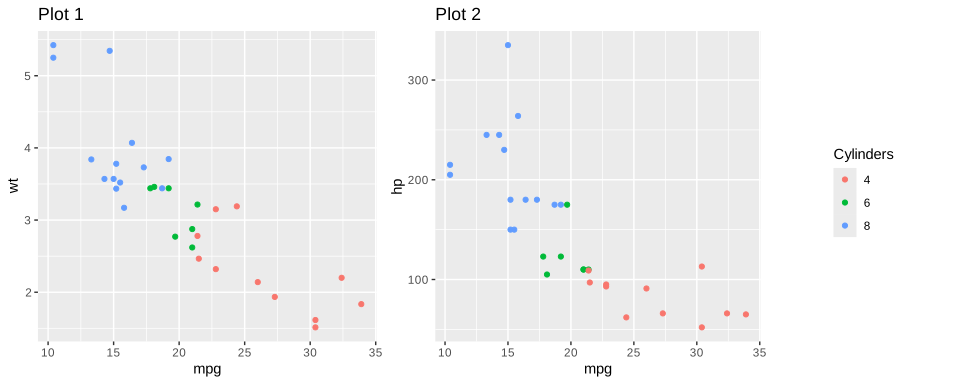
All ggguides styling functions (legend_style(),
legend_wrap(), etc.) work on individual plots regardless of
layout package.
“Software is like sex: it’s better when it’s free.” — Linus Torvalds
I’m a PhD student who builds R packages in my free time because I believe good tools should be free and open. I started these projects for my own work and figured others might find them useful too.
If this package saved you some time, buying me a coffee is a nice way to say thanks. It helps with my coffee addiction.
MIT (see the LICENSE.md file)
@software{ggguides,
  author = {Colling, Gilles},
  title = {ggguides: Simplified Legend and Guide Alignment for ggplot2},
  year = {2025},
  url = {https://CRAN.R-project.org/package=ggguides},
  doi = {10.32614/CRAN.package.ggguides}
}
These binaries (installable software) and packages are in development.
They may not be fully stable and should be used with caution. We make no claims about them.
Health stats visible at Monitor.
