The hardware and bandwidth for this mirror is donated by dogado GmbH, the Webhosting and Full Service-Cloud Provider. Check out our Wordpress Tutorial.
If you wish to report a bug, or if you are interested in having us mirror your free-software or open-source project, please feel free to contact us at mirror[@]dogado.de.


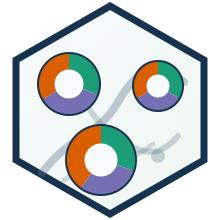
DonutMap is an R package for drawing donut charts on static and
interactive maps with sf, ggplot2, and
leaflet.
Website: https://aureliennicosiaulaval.github.io/DonutMap/
The package is inspired by mtennekes/donutmaps,
but starts from a simpler tidy-data interface and avoids the older
odf/tmap workflow.
The pkgdown site includes a getting-started article and a dedicated example gallery available from the Examples menu.
# From GitHub
devtools::install_github("AurelienNicosiaULaval/DonutMap")

# From this local repository
devtools::install()donut_map() creates a static ggplot2 map
with optional coloured curved trajectories and arrows.
donut_leaflet() creates an interactive
leaflet map with clickable donut segments, popups, hover
labels, legends, and optional coloured curved trajectories with
directional arrowheads. It builds the interactive donut symbols in
EPSG:3857 by default and disables Leaflet simplification for donut
polygons so sector separators stay visually regular.
donut_polygons() computes an sf polygon
layer with one donut segment per non-zero location-category pair.
flow_lines() computes straight or curved
origin-destination sf line geometries.
library(DonutMap)
library(ggplot2)

demo <- data.frame(
  place = rep(c("A", "B", "C"), each = 3),
  lon = rep(c(-71.35, -71.20, -71.05), each = 3),
  lat = rep(c(46.75, 46.82, 46.73), each = 3),
  category = rep(c("Walking", "Transit", "Car"), times = 3),
  value = c(10, 20, 5, 5, 15, 10, 12, 4, 9)
)

flows <- data.frame(
  from = c("A", "B"),
  to = c("B", "C"),
  trips = c(30, 10),
  flow_category = c("Transit", "Car")
)

mode_colours <- c(
  Walking = "#1b9e77",
  Transit = "#7570b3",
  Car = "#d95f02"
)donut_map(
demo,
place,
category,
value,
lon = lon,
lat = lat,
flows = flows,
from = from,
to = to,
flow_value = trips,
flow_group = flow_category,
flow_colours = mode_colours,
flow_curvature = 0.22,
flow_arrow = TRUE,
colours = mode_colours
)donut_leaflet(
demo,
place,
category,
value,
lon = lon,
lat = lat,
flows = flows,
from = from,
to = to,
flow_value = trips,
flow_group = flow_category,
flow_colours = mode_colours,
flow_curvature = 0.22,
flow_arrow = TRUE,
colours = mode_colours
)Use flow_curvature = 0 for straight links, positive
values for one bend direction, and negative values for the opposite
direction. flow_arrow = TRUE adds directional arrows to the
static and interactive trajectories. In donut_leaflet(),
use flow_arrow_size to tune the arrowhead length in
projected map units when the automatic size is not ideal. Use
flow_group and flow_colours when the
connections themselves should carry a categorical colour, for example
destination municipality or flow type.
The pkgdown site includes a complete vignette with:
ggplot2 donut map with coloured directional
trajectories;leaflet donut map with clickable
coloured trajectories;sf geometry layer.See vignette("donut-maps", package = "DonutMap")
locally, or the online article:
https://aureliennicosiaulaval.github.io/DonutMap/articles/donut-maps.html
These binaries (installable software) and packages are in development.
They may not be fully stable and should be used with caution. We make no claims about them.
Health stats visible at Monitor.