The hardware and bandwidth for this mirror is donated by dogado GmbH, the Webhosting and Full Service-Cloud Provider. Check out our Wordpress Tutorial.
If you wish to report a bug, or if you are interested in having us mirror your free-software or open-source project, please feel free to contact us at mirror[@]dogado.de.




Convert Visual Studio Code, Positron and TextMate theme files to custom RStudio themes.
This package provides tools to convert Visual Studio
Code, Positron and TextMate
theme files (.json and .tmTheme formats) to
RStudio .rstheme files.
RStudio has supported custom themes in
.rstheme format since RStudio 1.2. See the
RStudio
theme creation documentation.
[!NOTE]
This package is stable and maintained on a best-effort basis. I currently prioritize CRAN compatibility and bug and regression fixes over new features.
.rstheme files.This package includes ports of several popular Visual Studio
Code and Positron themes, ready to use in
RStudio. Use install_rstudiothemes() to
install them in your RStudio IDE:
rstudiothemes::install_rstudiothemes()

#> ✔ Installed 38 themes
#> ℹ Use `rstudiothemes::list_rstudiothemes()` to list installed themes.
#> ℹ Use `rstudiothemes::try_rstudiothemes()` to preview installed themes.

rstudioapi::applyTheme("Winter is Coming Dark Blue")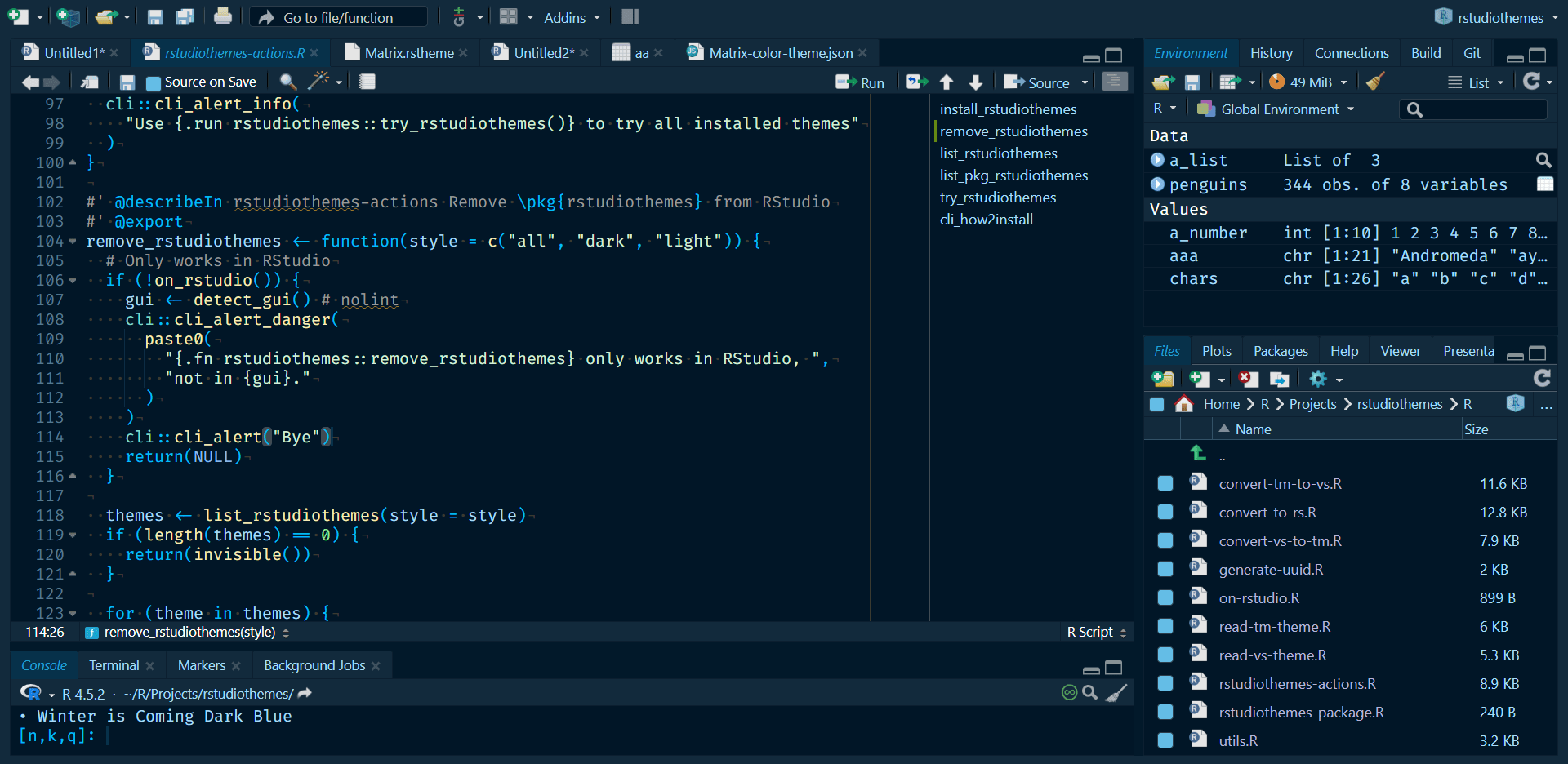
Available themes include popular choices such as Tokyo Night, Night Owl, Winter is Coming, SynthWave 84, Nord and many more:
rstudiothemes::list_rstudiothemes(list_installed = FALSE)
#>  [1] "Andromeda"                  "ayu Dark"
#>  [3] "ayu Light"                  "Barbie Theme"
#>  [5] "Bluloco Light"              "Catppuccin Latte"
#>  [7] "Catppuccin Mocha"           "cobalt2"
#>  [9] "CRAN"                       "Dracula2025"
#> [11] "GitHub Dark"                "GitHub Light"
#> [13] "JellyFish Theme"            "Matcha"
#> [15] "Matrix"                     "Night Owl"
#> [17] "Night Owl Light"            "Nord"
#> [19] "OKSolar Dark"               "OKSolar Light"
#> [21] "OKSolar Sky"                "One Dark Pro"
#> [23] "Overflow Dark"              "Overflow Light"
#> [25] "Panda Syntax"               "Positron Dark"
#> [27] "Positron Light"             "Selenized Dark"
#> [29] "Selenized Light"            "Skeletor Syntax"
#> [31] "SynthWave 84"               "Tokyo Night"
#> [33] "Tokyo Night Light"          "Tokyo Night Storm"
#> [35] "VSCode Dark"                "VSCode Light"
#> [37] "Winter is Coming Dark Blue" "Winter is Coming Light"
The bundled themes are also distributed in a single .zip
file at https://dieghernan.github.io/rstudiothemes/dist/rstudiothemes.zip.
Unzip the file and install the themes using the RStudio
IDE interface.
Install rstudiothemes from CRAN:
install.packages("rstudiothemes")Read the documentation for the development version at https://dieghernan.github.io/rstudiothemes/dev/.
You can install the development version of rstudiothemes with:
# install.packages("pak")
pak::pak("dieghernan/rstudiothemes")
Alternatively, you can install rstudiothemes using r-universe:
# Install rstudiothemes in R:
install.packages(
  "rstudiothemes",
  repos = c(
    "https://dieghernan.r-universe.dev",
    "https://cloud.r-project.org"
  )
)The online Shiny app includes the main rstudiothemes conversion features and lets you convert theme files in your browser:
https://dieghernan-themeconverter.share.connect.posit.cloud/
You can convert any Visual Studio Code,
Positron or TextMate theme file to an
RStudio .rstheme file with this
workflow:
convert_to_rstudio_theme() to convert and install
it:rstudiothemes::convert_to_rstudio_theme(
"<path/to/file>",
apply = TRUE,
force = TRUE
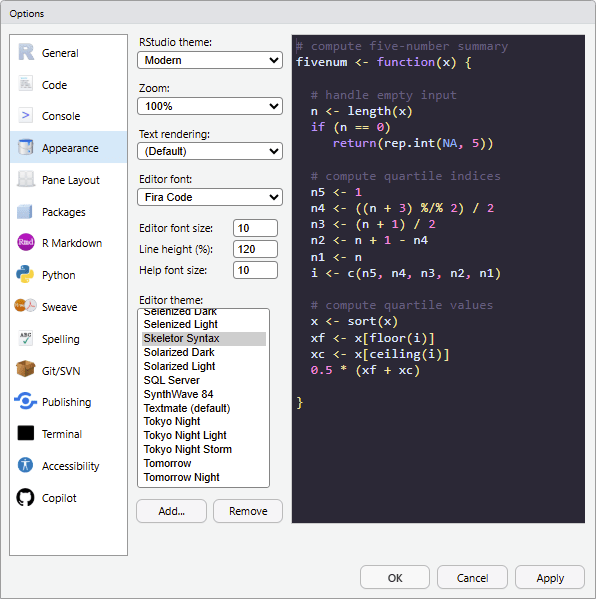
)Alternatively, in RStudio, choose
Tools > Global Options > Appearance > Add and
select the installed theme.
The package also provides convert_vs_to_tm_theme() and
convert_tm_to_vs_theme() for conversion between
Visual Studio Code, Positron and
TextMate formats.
rstudiothemes does not provide a built-in theme editor. To create themes from scratch, use one of these tools and then convert the result:
.tmTheme: Use https://tmtheme-editor.linuxbox.ninja/. See also the
official RStudio documentation on creating
themes..json: See the
official Visual Studio Code documentation on creating
color themes.Contributions are welcome. To contribute:
Hernangómez D (2026). rstudiothemes: Create and Install Custom RStudio Themes. doi:10.32614/CRAN.package.rstudiothemes. https://dieghernan.github.io/rstudiothemes/.
A BibTeX entry for LaTeX users:
@Manual{R-rstudiothemes,
  title = {{rstudiothemes}: Create and Install Custom {RStudio} Themes},
  doi = {10.32614/CRAN.package.rstudiothemes},
  author = {Diego Hernangómez},
  year = {2026},
  version = {1.2.0},
  url = {https://dieghernan.github.io/rstudiothemes/},
  abstract = {Create, convert and install custom RStudio editor themes from Visual Studio Code, Positron and TextMate theme files. Convert themes between TextMate, Visual Studio Code and Positron formats and install bundled ports of popular themes for use in RStudio. Inspect theme files as tabular data for custom conversion workflows.},
}
These binaries (installable software) and packages are in development.
They may not be fully stable and should be used with caution. We make no claims about them.
Health stats visible at Monitor.