The hardware and bandwidth for this mirror is donated by dogado GmbH, the Webhosting and Full Service-Cloud Provider. Check out our Wordpress Tutorial.
If you wish to report a bug, or if you are interested in having us mirror your free-software or open-source project, please feel free to contact us at mirror[@]dogado.de.
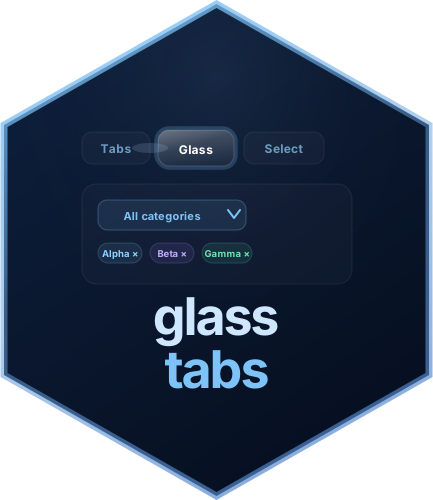
Animated glass-morphism tab navigation and multi-select filter widgets for R Shiny

glasstabs provides animated Shiny widgets built around a glass-morphism aesthetic:
glassTabsUI() - an animated tab bar
with a sliding glass halo that follows the active tabglassMultiSelect() - a multi-select
dropdown with three selection styles, live search, tag-pill syncing, and
server-side update supportglassSelect() - an animated
single-select dropdown with optional search, clear support, theming,
selection styles, and server-side update supportAll widgets are self-contained, fully themeable, and work in plain
fluidPage(), bs4DashPage(), or any other Shiny
page wrapper.
Full documentation: https://prigasg.github.io/glasstabs/
# From CRAN
install.packages("glasstabs")

# From GitHub (development version)
pak::pak("prigasG/glasstabs")
# or
devtools::install_github("prigasG/glasstabs")library(shiny)
library(glasstabs)
ui <- fluidPage(
useGlassTabs(),
glassTabsUI(
"main",
glassTabPanel(
"t1", "Overview", selected = TRUE,
h3("Overview"),
p("Content here."),
glassFilterTags("cat")
),
glassTabPanel(
"t2", "Details",
h3("Details"),
p("More content."),
glassFilterTags("cat")
),
extra_ui = glassMultiSelect(
"cat",
c(A = "a", B = "b", C = "c"),
show_style_switcher = FALSE
)
),
verbatimTextOutput("info")
)
server <- function(input, output, session) {
tabs <- glassTabsServer("main")
filt <- glassMultiSelectValue(input, "cat")
output$info <- renderPrint({
list(
active_tab = tabs(),
selected = filt$selected(),
style = filt$style()
)
})
}
if (interactive()) shinyApp(ui, server)Note:
useGlassTabs()must be called once somewhere in the UI before anyglassTabsUI()orglassMultiSelect()call. It injects the shared CSS and JavaScript as a properly deduplicatedhtmltoolsdependency.
| Function | Description |
|---|---|
useGlassTabs() |
Inject package CSS and JavaScript - call once in the UI |
runGlassExample(example) |
Launch a built-in example app (runGlassExample() to
list all) |
glasstabs_news() |
Print the package changelog to the R console |
Built-in examples currently include basic,
bs4dash, bslib, dashboard,
server-select, smoke-test, and
square-corners. The square-corners example
demonstrates shape = "square" on glassSelect()
and glassMultiSelect() side by side with native
selectizeInput(), while bslib shows square
glass selects inside a Bootstrap 5 themed app.
| Function | Description |
|---|---|
glassTabsUI(id, ..., selected, wrap, compact, extra_ui, theme) |
Animated tab bar with content area; compact=TRUE for
dashboard cards |
glassTabPanel(value, label, ..., icon, selected) |
Define one tab and its content; icon accepts
shiny::icon() |
glassTabsServer(id, bookmark) |
Reactive returning the active tab; bookmarks active tab in URL |
glassTabsOutput(outputId) |
UI placeholder for a server-rendered tab widget |
renderGlassTabs({expr}) |
Render a glassTabsUI() reactively; JS reinitialises
automatically |
glassTabCondition(id, value) |
JS condition string for conditionalPanel() |
updateGlassTabsUI(session, id, selected) |
Switch the active tab from the server |
updateGlassTabBadge(session, id, value, count) |
Set a numeric badge on a tab button (0 hides it) |
showGlassTab(session, id, value) |
Show a hidden tab |
hideGlassTab(session, id, value) |
Hide a tab from the navigation bar |
disableGlassTab(session, id, value) |
Gray out a tab (stays visible, not clickable) |
enableGlassTab(session, id, value) |
Re-enable a disabled tab |
appendGlassTab(session, id, tab, select) |
Add a new tab at runtime |
removeGlassTab(session, id, value) |
Remove a tab at runtime |
glass_tab_theme(...) |
Custom colour theme for glassTabsUI() |
| Function | Description |
|---|---|
glassMultiSelect(inputId, choices, ...) |
Multi-select dropdown widget |
glassMultiSelectServer(inputId, choices, ...) |
Server-side search for large multi-select choice sets |
updateGlassMultiSelect(session, inputId, ...) |
Update multi-select choices, selection, or style |
glassMultiSelectValue(input, inputId) |
Reactive helper for multi-select value and style |
glassSelect(inputId, choices, ...) |
Single-select dropdown widget |
glassSelectServer(inputId, choices, ...) |
Server-side search for large single-select choice sets |
updateGlassSelect(session, inputId, ...) |
Update single-select choices, selection, or style |
glassSelectValue(input, inputId) |
Reactive helper for selected value |
glassFilterTags(inputId) |
Tag-pill display area synced to a multi-select |
glass_select_theme(...) |
Custom colour theme for glassSelect() and
glassMultiSelect() |
| Input | Type | Description |
|---|---|---|
input[["<id>-active_tab"]] |
character |
Currently active tab value from glassTabsUI() |
input$<inputId> |
character vector |
Selected values from glassMultiSelect() |
input$<inputId>_style |
character |
Active selection style from glassMultiSelect() |
input$<inputId> |
character or NULL |
Selected value from glassSelect() |
Use glassTabCondition() to avoid constructing the input
key manually:
# Instead of: condition = "input['main-active_tab'] === 'details'"
conditionalPanel(
  condition = glassTabCondition("main", "details"),
  p("Only visible on the Details tab.")
)

# Inside a module - pass the same id as glassTabsUI():
# glassTabsUI(ns("tabs"), ...)
# conditionalPanel(condition = glassTabCondition(ns("tabs"), "details"), ...)library(shiny)
library(glasstabs)
choices <- c(
Apple = "apple",
Banana = "banana",
Cherry = "cherry"
)
ui <- fluidPage(
useGlassTabs(),
glassMultiSelect("fruit", choices),
glassFilterTags("fruit"),
verbatimTextOutput("out")
)
server <- function(input, output, session) {
output$out <- renderPrint(input$fruit)
}
if (interactive()) shinyApp(ui, server)Note: By default,
glassMultiSelect()starts with all choices selected.
For large vectors, set server = TRUE in the UI and
register the matching server helper. The widget renders only a bounded
page of choices and asks Shiny for matches as the user types.
many_choices <- stats::setNames(
  sprintf("value-%04d", 1:2000),
  sprintf("Choice %04d", 1:2000)
)

ui <- fluidPage(
  useGlassTabs(),
  glassSelect("region", many_choices, server = TRUE, server_limit = 30),
  glassMultiSelect("filters", many_choices, server = TRUE, server_limit = 30)
)

server <- function(input, output, session) {
  glassSelectServer("region", many_choices, session = session, limit = 30)
  glassMultiSelectServer("filters", many_choices, session = session, limit = 30)
}
Try the shipped example with
runGlassExample("server-select").
server <- function(input, output, session) {
  observeEvent(input$clear, {
    updateGlassMultiSelect(
      session,
      "fruit",
      selected = character(0)
    )
  })

  observeEvent(input$fill_style, {
    updateGlassMultiSelect(
      session,
      "fruit",
      check_style = "filled"
    )
  })
}```{r single-select} library(shiny) library(glasstabs)
choices <- c( North = “north”, South = “south”, East = “east”, West = “west” )
ui <- fluidPage( useGlassTabs(), glassSelect( “region”, choices, clearable = TRUE, check_style = “checkbox”, theme = “light” ), verbatimTextOutput(“out”) )
server <- function(input, output, session) { output\(out <- renderPrint(input\)region) }
if (interactive()) shinyApp(ui, server)
## Square corners

By default `glassSelect()` and `glassMultiSelect()` use the signature rounded
glass corners. Pass `shape = "square"` for crisp, selectize-style corners so
the widgets sit flush next to native `selectizeInput()` controls without
looking out of place:

```r
glassSelect("region", choices, shape = "square")
glassMultiSelect("filters", choices, shape = "square")
See it next to native selectize with
runGlassExample("square-corners"), or inside a Bootstrap 5
theme with runGlassExample("bslib").
glassTabsUI() also takes shape = "square", so
the tab bar can match the selects.
For drop-in use alongside native selectizeInput(), both
selects also accept a width, grouped choices as a named
list (selectInput()-style), and disabled state:
glassSelect("region", choices, width = "240px")

glassSelect("food", list(
  Fruit = c(Apple = "apple", Banana = "banana"),
  Veg   = c(Carrot = "carrot", Pea = "pea")
))

glassMultiSelect("filters", choices, disabled_choices = c("apple", "pear"))
disabled (whole widget) and
disabled_choices (individual options) are also reachable at
runtime through updateGlassSelect() /
updateGlassMultiSelect().
server <- function(input, output, session) {
  observeEvent(input$pick_south, {
    updateGlassSelect(
      session,
      "region",
      selected = "south"
    )
  })

  observeEvent(input$clear_region, {
    updateGlassSelect(
      session,
      "region",
      selected = character(0)
    )
  })

  observeEvent(input$fill_region, {
  updateGlassSelect(
    session,
    "region",
    check_style = "filled"
  )
})
}All widgets default to "dark". You can switch to
"light" or supply a custom theme object.
# Tab widget
glassTabsUI(
  "nav",
  glassTabPanel("a", "A", selected = TRUE, p("Content")),
  theme = glass_tab_theme(
    halo_bg = "rgba(251,191,36,0.15)",
    tab_active_text = "#fef3c7"
  )
)

# Multi-select
glassMultiSelect(
  "filter", choices,
  theme = glass_select_theme(
    mode = "dark",
    accent_color = "#f59e0b"
  )
)

# Single-select
glassSelect(
  "region", choices,
  theme = glass_select_theme(
    mode = "light",
    accent_color = "#2563eb"
  )
)

# Built-in light preset
glassTabsUI("nav", theme = "light", ...)
glassMultiSelect("f", choices, theme = "light", ...)
glassSelect("s", choices, theme = "light", ...)
glass_tab_theme()
handles| Argument | Controls |
|---|---|
tab_text |
Inactive tab label color |
tab_active_text |
Active tab label color |
halo_bg |
Sliding glass halo fill |
halo_border |
Sliding glass halo border |
content_bg |
Tab content panel background |
content_border |
Tab content panel border |
card_bg |
Inner card background |
card_text |
Inner card text color |
glass_select_theme()
handles| Argument | Controls |
|---|---|
mode |
Base preset, either "dark" or "light" |
bg_color |
Dropdown panel and trigger background |
border_color |
Border color |
text_color |
Main text color |
accent_color |
Ticks, badges, checked states, and clear controls |
label_color |
Optional field label color |
glassMultiSelect() and glassSelect()
support three selection indicator styles:
| Style | Appearance |
|---|---|
"checkbox" |
Ghost box with animated tick |
"check-only" |
Tick only, no box |
"filled" |
Solid colored box with no tick |
glassMultiSelect(
  "f", choices,
  check_style = "filled",
  show_style_switcher = FALSE
)

glassSelect(
  "s", choices,
  check_style = "check-only"
)
Hues distribute automatically around the color wheel or can be set manually under multi-select:
glassMultiSelect("f", c(Apple = "apple", Banana = "banana", Cherry = "cherry"),
  check_style = "filled",
  hues = c(apple = 10L, banana = 50L, cherry = 340L)
)Pass wrap = FALSE when embedding inside a bs4Dash
card.
bs4Card(
  glassTabsUI("dash",
    wrap     = FALSE,
    theme    = "light",
    extra_ui = glassMultiSelect("f", choices, theme = "light"),
    glassTabPanel("a", "Overview", selected = TRUE, p("Content")),
    glassTabPanel("b", "Details",  p("More"))
  )
)
Multiple glassTabsUI() and
glassMultiSelect() widgets on the same page work
independently - each is scoped by its id, so CSS variables
and JS event handlers never bleed across instances.
Full vignettes are available on the documentation site:
| Article | Description |
|---|---|
| Cheatsheet | Quick reference for tabs, selects, updates, and server helpers |
| Getting started | Progressive walkthrough of both widgets |
| Animated tabs | Full glassTabsUI() reference with theming and
bs4Dash |
| Multi-select filter | Full glassMultiSelect() reference with styles, tags and
updates |
| Single-select filter | Full glassSelect() reference with search, clear, and
updates |
| Server-side select search | Covered in the multi-select and single-select articles, plus
runGlassExample("server-select") |
server <- function(input, output, session) {
  # Switch to a tab programmatically
  observeEvent(input$next_btn, {
    updateGlassTabsUI(session, "tabs", selected = "details")
  })

  # Show/hide tabs conditionally
  observeEvent(input$is_admin, {
    if (input$is_admin) showGlassTab(session, "tabs", "admin")
    else                hideGlassTab(session, "tabs", "admin")
  }, ignoreInit = FALSE)

  # Add and remove tabs dynamically
  observeEvent(input$add_tab, {
    appendGlassTab(session, "tabs",
      glassTabPanel("dynamic", "Dynamic", p("Added at runtime")),
      select = TRUE
    )
  })

  observeEvent(input$remove_tab, {
    removeGlassTab(session, "tabs", "dynamic")
  })
}width argument in glassSelect() /
glassMultiSelect() - fill a column or match a fixed layout,
like native selectizeInput()selectInput()-style) to render non-interactive group
headersdisabled / disabled_choices - disable a
whole select or individual options, also at runtime via
updateGlassSelect() /
updateGlassMultiSelect()shape = "square" in glassSelect(),
glassMultiSelect(), and glassTabsUI() - crisp,
selectize-style cornersserver = TRUE, glassSelectServer(),
glassMultiSelectServer()These binaries (installable software) and packages are in development.
They may not be fully stable and should be used with caution. We make no claims about them.
Health stats visible at Monitor.