The hardware and bandwidth for this mirror is donated by dogado GmbH, the Webhosting and Full Service-Cloud Provider. Check out our Wordpress Tutorial.
If you wish to report a bug, or if you are interested in having us mirror your free-software or open-source project, please feel free to contact us at mirror[@]dogado.de.


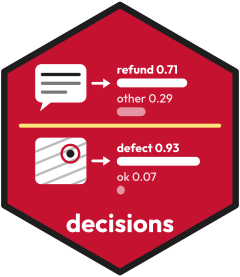
The decisions package calls decision models. A decision model reads
an input and a typed question. It returns a probability for each allowed
answer. The package is inspired by ellmer: one object names the
provider and the model, and one function sends the inputs. The result is
a tibble in the tidymodels style. It has one row for each input, a
.pred_class column and one .pred_ column for
each allowed answer. So yardstick and probably read it without a
change.
Each decide() call uses one model. A failed call keeps
its row, with NA answers and the reason in
.error.
Install the development version from GitHub:
# install.packages("pak")
pak::pak("fmegahed/decisions")
After CRAN accepts the package, you can install it from CRAN:
install.packages("decisions")This example needs a key. Put the key in the environment variable
TYPESAFE_API_KEY (see Keys below).
library(decisions)

jev <- decider_typesafe()
refund <- question_noul("Does the customer ask for a refund?")

decide(
  jev, refund,
  text = "I was charged twice for order 4471. Please refund the extra charge."
)
The result has one row. .pred_true and
.pred_false hold the probabilities of the two answers.
Each provider has its own key. The help page of each decider says
where to get it. Set the key in an environment variable. The best place
is .Renviron. You can open it with
usethis::edit_r_environ(). The usethis package is
optional.
| Decider | Environment variable | Where to get a key |
|---|---|---|
decider_typesafe() |
TYPESAFE_API_KEY |
TypeSafe console |
decider_openai() |
OPENAI_API_KEY |
OpenAI developer platform |
decider_openrouter() |
OPENROUTER_API_KEY |
OpenRouter keys |
decider_foundry() |
AZURE_FOUNDRY_API_KEY and
AZURE_FOUNDRY_ENDPOINT |
Microsoft Foundry |
decider_systemone() |
none for a local server | Laya or Clef-Flash on your own computer |
Never put a key in your code or in a file that you share. A
credentials function can read the key from a secret
store.
decider_typesafe(),
decider_openai(), decider_foundry(),
decider_openrouter() and
decider_systemone().question_noul(),
question_choice() and question_score().decide().decision_setup(), write_setup()
and read_setup().score_setup() and
evaluate_once().The vignettes make no network call and need no key. They read saved results. Read them in this order: the first four use text, the last two use images, and each one builds on the ones before it.
vignette("getting-started"): text inputs, the three
question types, and scores with known answers.vignette("choosing-a-model"): how to compare models on
the same task.vignette("open-models"): open models on your own
computer.vignette("grading"): grading short answers with a
rubric, and saving the questions as a setup file.vignette("images"): images as inputs, with reference
images.vignette("industrial-image-inspection"): a complete
case study of defect detection in images of manufactured parts (five
datasets, three models).The website https://fmegahed.github.io/decisions/ has the help pages and the six vignettes:
vignette("getting-started")vignette("choosing-a-model")vignette("open-models")vignette("grading")vignette("images")vignette("industrial-image-inspection")To report a problem or ask for a feature, open an issue at https://github.com/fmegahed/decisions/issues.
The examples that call a provider need an API key and a paid call, so they are not run on CRAN.
ohio_injuries: 464 narratives of severe work injuries
in Ohio in 2025, with the injury type. Source: the Severe Injury Reports
of the U.S. Occupational Safety and Health Administration.ohio_recalls: 348 food recalls of Ohio firms, with the
class of the recall (I, II or III). Source: the food enforcement reports
of the U.S. Food and Drug Administration (openFDA).textiles: 50 simulated images of a woven textile, half
of them with a flaw. Source: the R package spc4sts (Bui and Apley,
2021).rubric_answers: 20 sample answers to one question, each
with a label for each question of a rubric. Source: written for this
package.The package has a skill for coding agents. Copy it into the skills folder of your project:
skill <- system.file("skills", "decisions", package = "decisions")
dir.create(".claude/skills", recursive = TRUE, showWarnings = FALSE)
file.copy(skill, ".claude/skills", recursive = TRUE)
Use .agents/skills in place of
.claude/skills for agents that read that folder.
This example reads the saved results of
vignette("industrial-image-inspection"). It takes the raw
probabilities that Jev gave to 200 test images of textiles
(prob is the probability of the answer
defective), and the truth of each image. It maps the
probabilities with the Platt scaling that the vignette fitted on
separate calibration images. Then it prints the Brier score and the log
loss before and after. It uses no key and no network. It can run in webR
once the package is on r-universe.
saved <- readRDS(system.file("extdata", "study_again.rds", package = "decisions"))
sets <- read.csv(system.file("extdata", "study_sets.csv", package = "decisions"))

# The saved test answers of one setup, with the truth of each image
answers <- subset(saved$test$answers, model == "jev" & dataset == "textiles")
answers <- merge(answers, sets[c("image_path", "class")], by = "image_path")
truth <- as.numeric(answers$class == "defective")

# The Platt coefficients, fitted on the calibration images of the same setup
platt <- subset(saved$platt, model == "jev" & dataset == "textiles")
clip <- function(prob) pmin(pmax(prob, 0.005), 0.995)
calibrated <- plogis(platt$intercept + platt$slope * qlogis(clip(answers$prob)))

brier <- function(prob) mean((prob - truth)^2)
log_loss <- function(prob) -mean(truth * log(prob) + (1 - truth) * log(1 - prob))
data.frame(
  probabilities = c("raw", "calibrated"),
  brier = c(brier(answers$prob), brier(calibrated)),
  log_loss = c(log_loss(answers$prob), log_loss(calibrated))
)A Hugging Face Space with Laya is planned. It is outside the package. There is no link yet.
These binaries (installable software) and packages are in development.
They may not be fully stable and should be used with caution. We make no claims about them.
Health stats visible at Monitor.